Get in touch

Case study · Shipper

Shipper

Designing an AI app builder from a blank file, so people can follow it, steer it and trust it with their credits.

Role
Snr Product Design Engineer
Team
Solo designer
Scope
Product, growth, web
Years
2025 to now
In short
The brief
The founders, Daniel CH and David CH, liked tools like Lovable and Base44 and wanted a cheaper option for founders who want to ship faster. I started in a blank Figma file in October 2025.
The problem
Every build spends credits, and most of the work happens out of sight. People needed to see the plan, know their work was safe when a preview paused, keep going when credits ran low, and get started without an idea.
What I did
I made five decisions for those problems: builds in phases, AI employees, safeguards for work and credits, payments that feel fair, and a front door that helps people start.
My part
I was the only designer for a year. I designed every feature end to end, then designed the landing pages and built them in Webflow with Claude and Codex.
The result
Everything here shipped except two designs marked as not shipped. Shipper keeps its usage and revenue data private, so I focus on the work.
Chapter 01The brief

I opened a blank Figma file and started Shipper.

The brief came from the founders, two brothers who go by Daniel CH and David CH. They liked AI app builders like Lovable and Base44 and believed they could build something cheaper, for founders who want to ship faster. You describe what you want in a chat and get a working product you can publish. I opened the first Figma file in October 2025.

I fleshed it out in three moves. First I mapped the core loop every user goes through: prompt, build, preview, publish, and designed the builder around it. Then I explored how the front door should feel, from early hero concepts to the landing page. And I pushed for dark mode. Two themes meant there was no shortcut, so I built the design system from scratch, with every component in light and dark, and the app follows the theme your device already uses. I set up the file so the work could keep up with the product: one Figma page per month, and an "Approved design" page the developers build from.

  1. PromptSay what you want, or start from an idea
  2. BuildWatch it happen, phase by phase
  3. PreviewSee the app, keep or change it
  4. PublishName it, brand it, give it a domain

The core loop every user goes through.

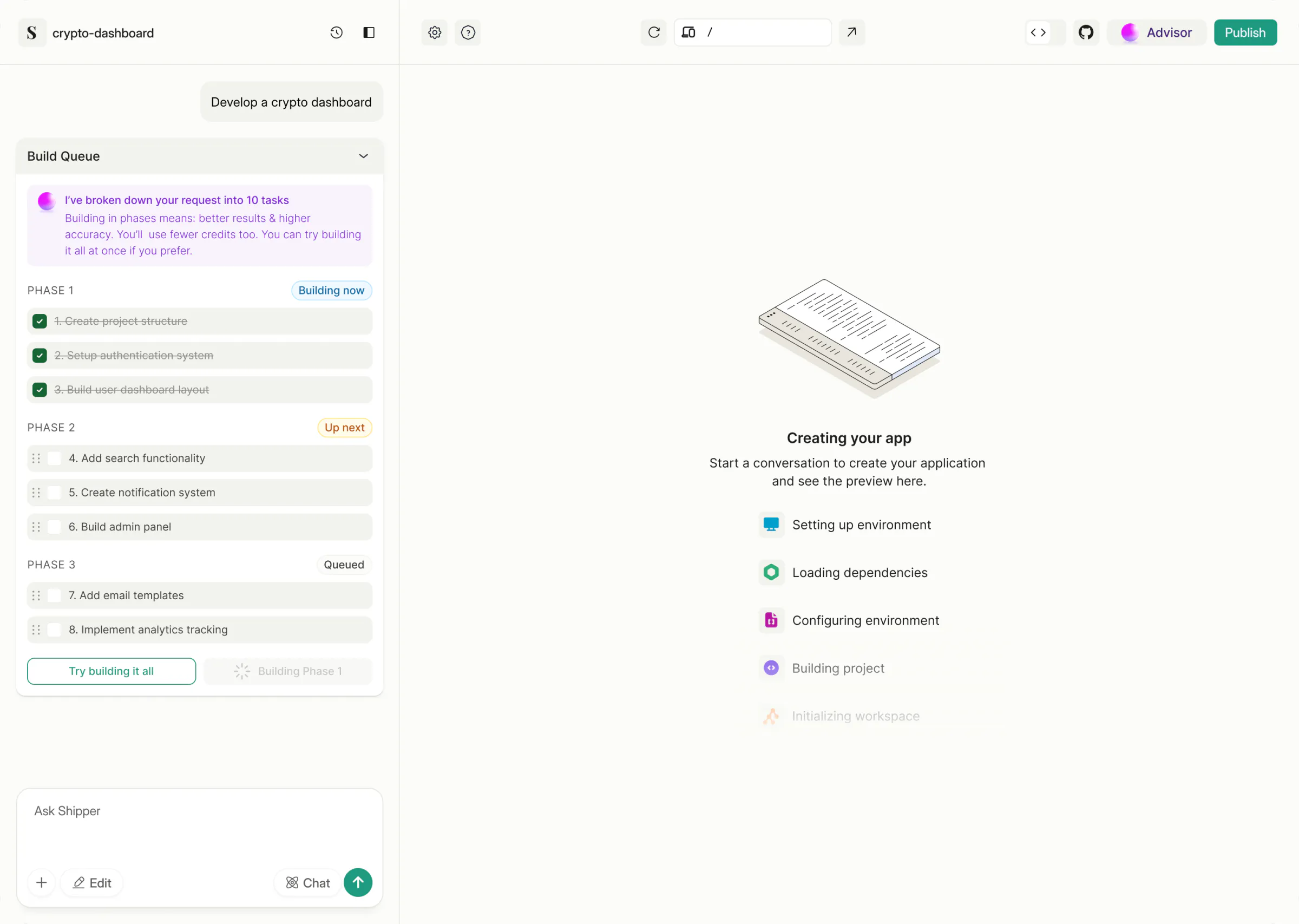
My first iterations, October 2025. Planning up front carried through to the Build Queue. The 15 to 20 minute wait is what I set out to remove.

Chapter 02The problem

Every build costs credits, and the work happens where you can't see it.

Most people who use Shipper can't code. They type what they want, wait, and spend credits on every build.

My first builder made that worse. It built everything in one go, so you saw the plan only once it was built, credits left with no checkpoint, and when the preview slept nothing told you the code was safe. The only help was a pop-up with one tip at a time. Across the year, my design work kept coming back to five problems.

  1. P1The plan is hiddenIn a one-shot build, you only see the plan once it's built.Solved in Decision 01
  2. P2Help is a pop-upOne assistant, one tip at a time, with no one watching the whole project.Solved in Decision 02
  3. P3A pause looks like lost workCome back after a break and nothing says your code is safe.Solved in Decision 03
  4. P4Credits run out mid-buildThe build stops halfway, and the next step isn't clear.Solved in Decision 04
  5. P5A blank promptMany people arrive without knowing what to build.Solved in Decision 05

Each decision below names the problem it solves.

Chapter 03Builds you can follow

Every build now runs in phases you can see and check.

Decision 01P1The plan is hiddenThe problemIn a one-shot build, you only see the plan once it's built.

Plan first, then build in phases.

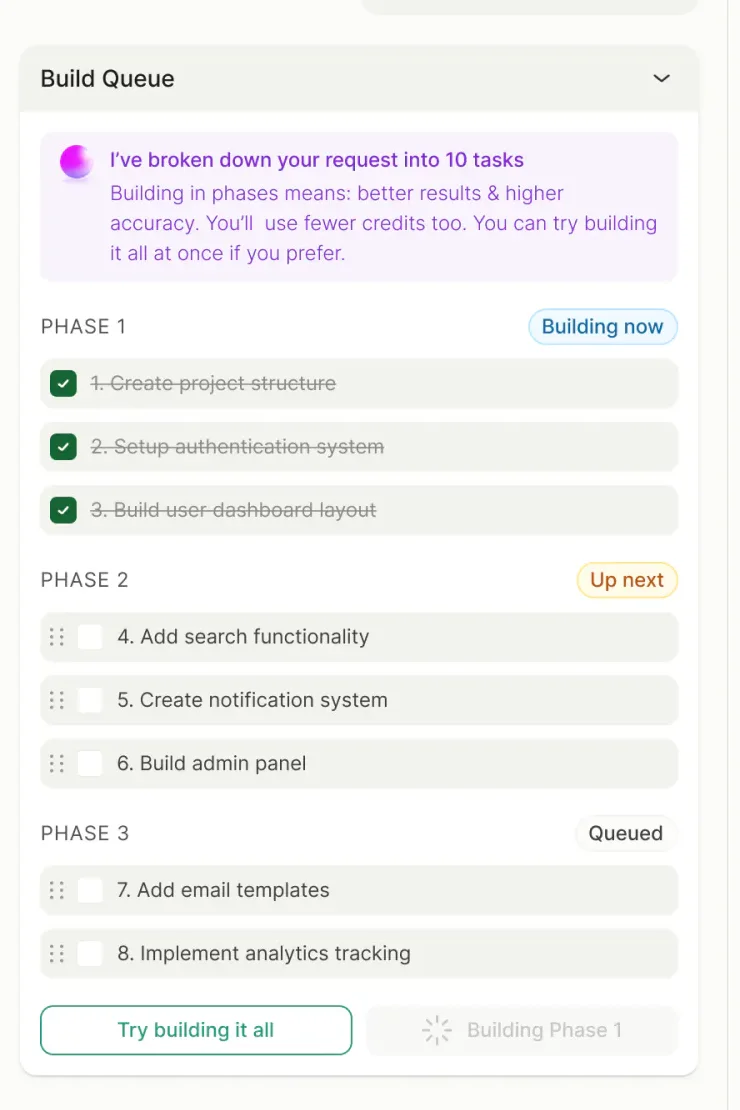
Shipper reads your request, turns it into a queue of tasks and builds three or four at a time. You see the plan before anything is built, and the preview grows phase by phase.

Instead of
One-shot builds. I kept them as "Try building it all" for people who want speed over control.
Trade-off
A slower first result. The build stops to check in between phases.

The live demo for this part is being built.

Then: the first Build QueueTry it, on the real frames: continue building, or try to build it all and meet the warning.

The live demo for this part is being built.

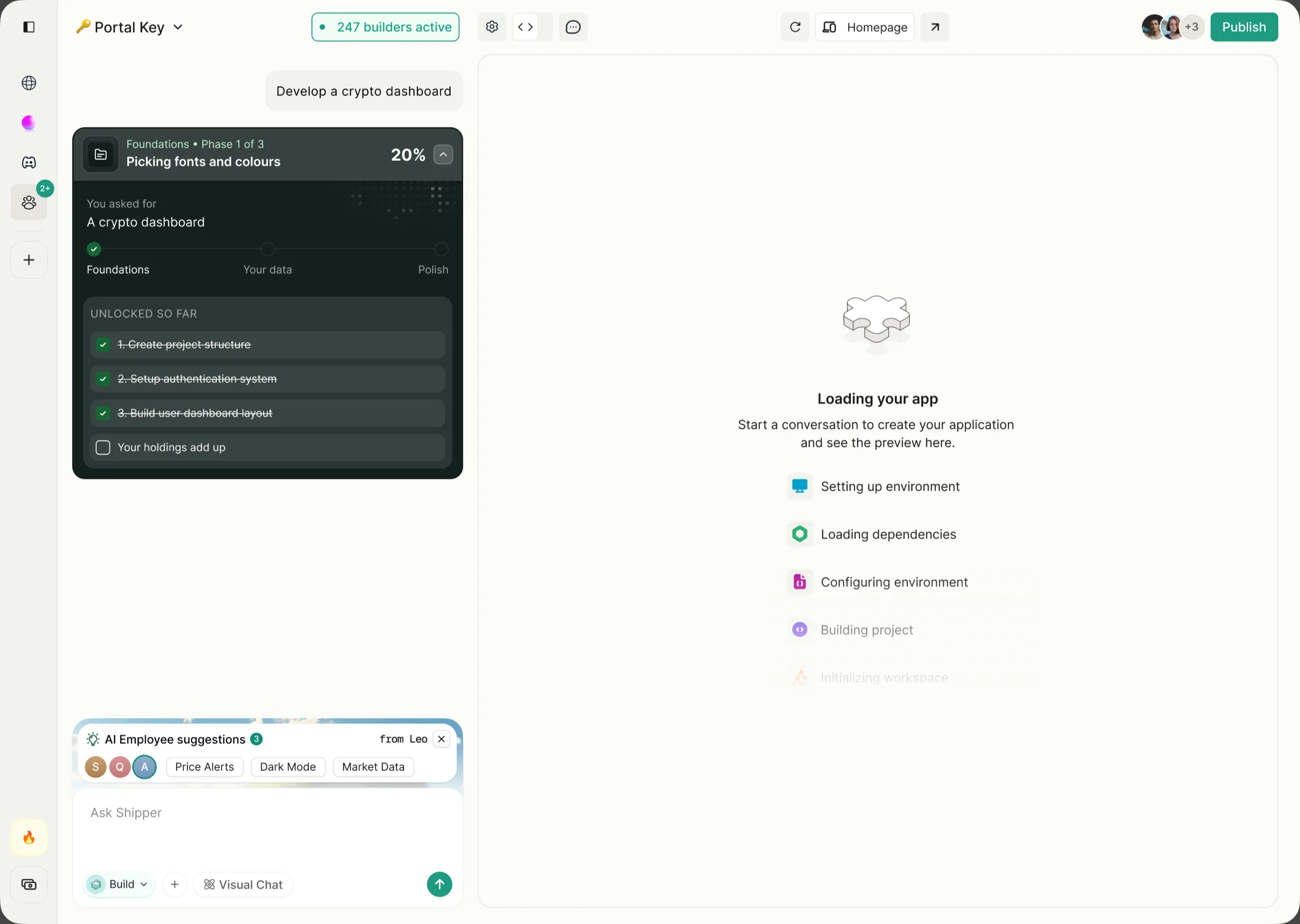
October: one quiet card, not shippedTry it, on the October frames: tap the Foundations card to open it, and tap again to close it.

From 15 to 20 minutes of "your app is cooking", to the checklist that shipped in March, to an October card that folds the checklist into one line. The card hasn't shipped.

The first Build Queue, March 2026: ten tasks in three phases, with Try building it all.
The Build Queue

The biggest update from Shipper 1.0 is the Build Queue… you can now see exactly what’s happening when you give Shipper a task, step by step.

Chapter 04A team, not a tool

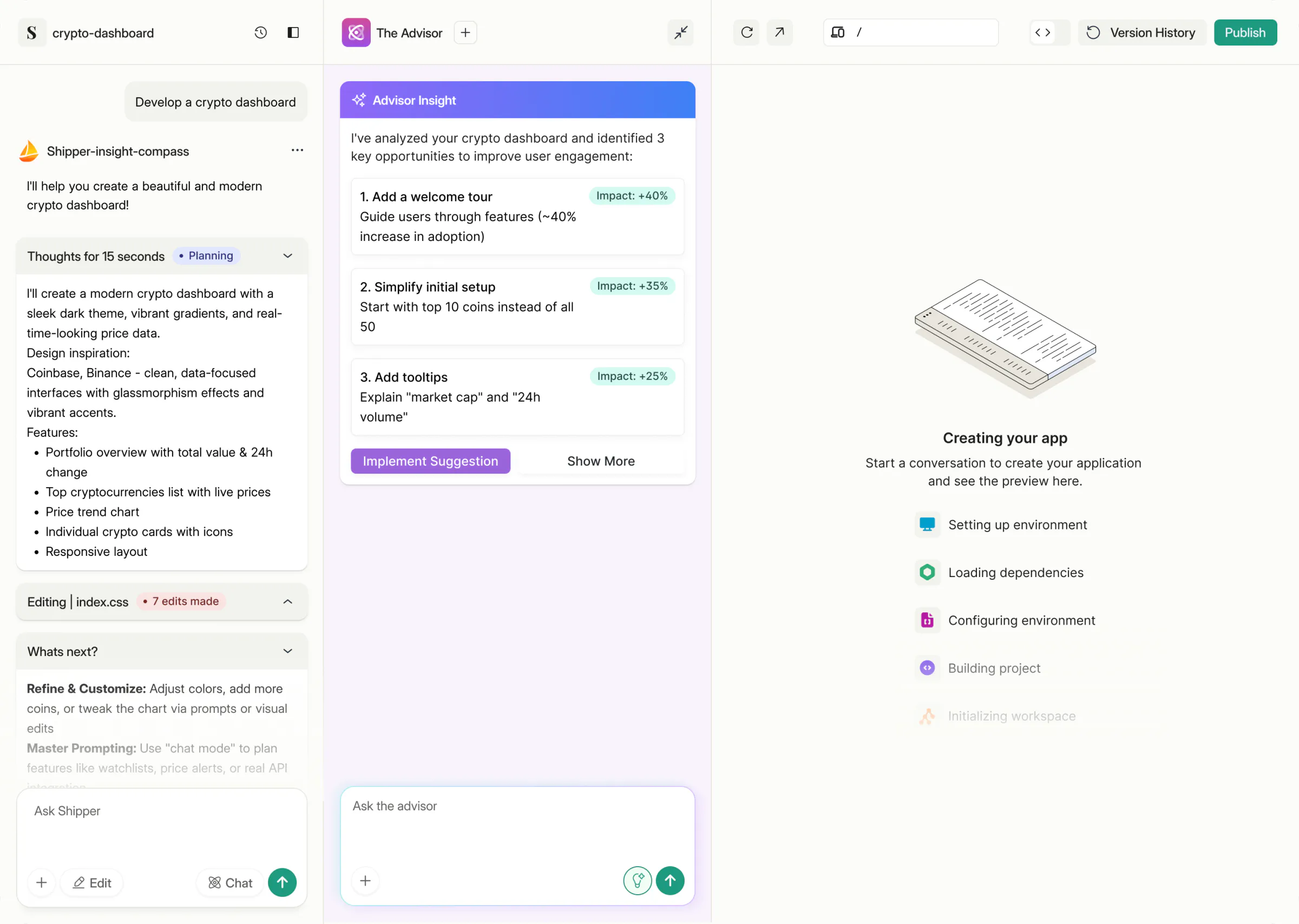
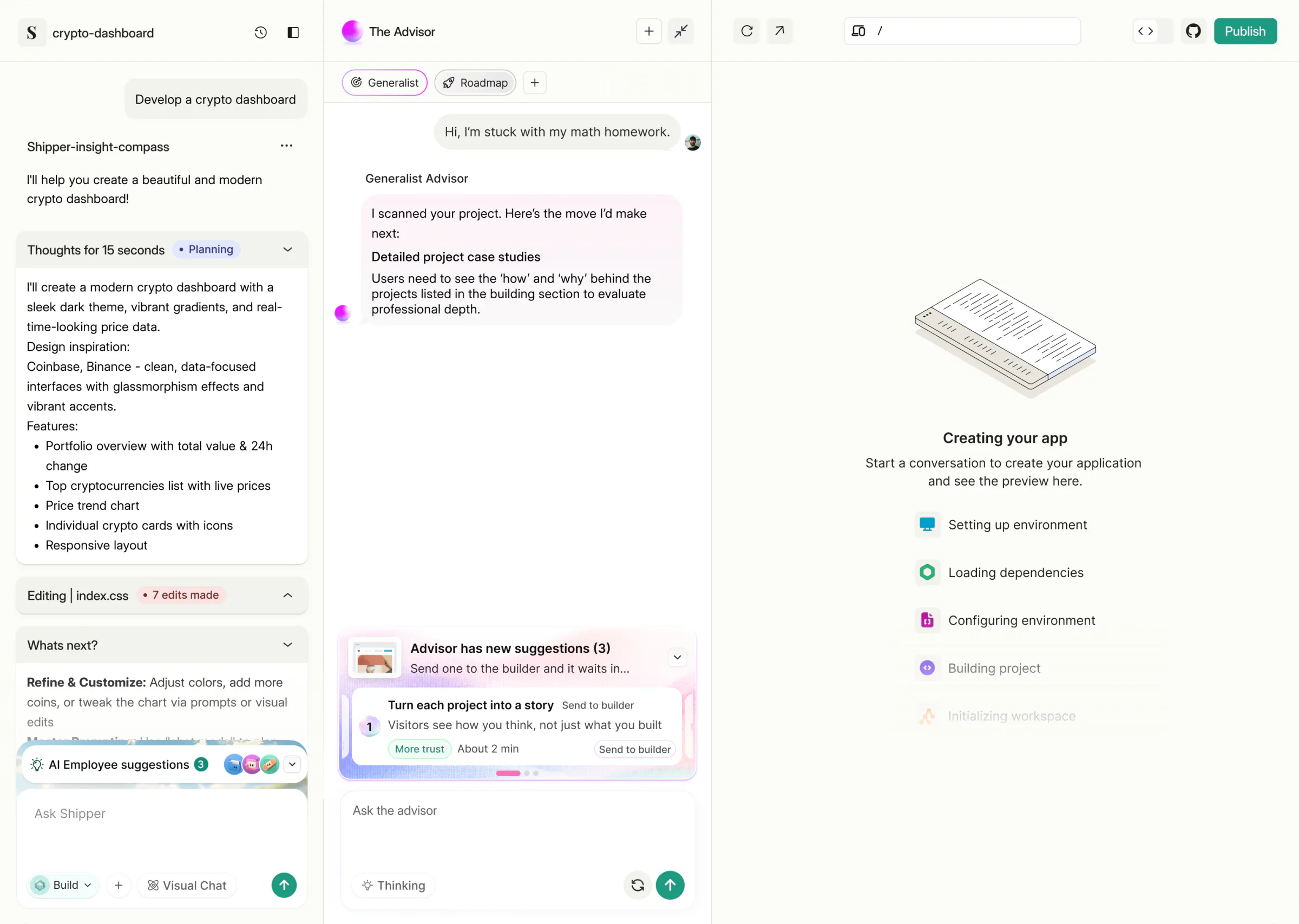
The Advisor grew from a pop-up into a team of AI employees.

Decision 02P2Help is a pop-upThe problemOne assistant, one tip at a time, with no one watching the whole project.

Give the AI jobs people already understand.

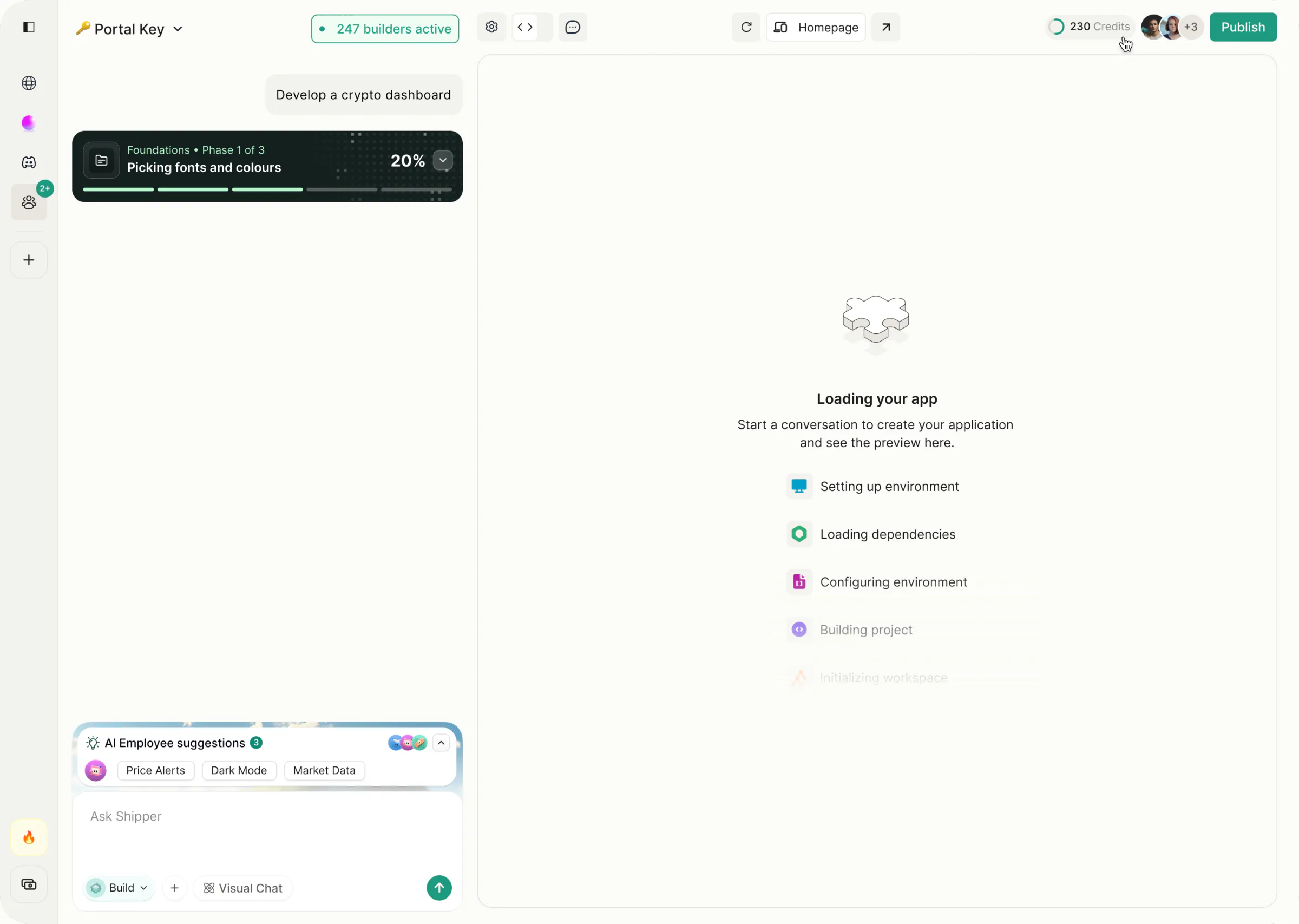
Each AI employee has a name, a role (designer, engineer, marketing), an avatar and a place to work: a feed of deliverables, channels and a daily standup. They message you first when they spot something, like a pricing page with no social proof or a button below WCAG contrast.

Instead of
One general assistant. It would answer everything in the same voice.
Trade-off
More to learn on day one. Display Mode lets people label the team simply, and Proactive Mode can be switched off.

The live demo for this part is being built.

The Advisor, then and nowTry it, on the real frames: send each suggestion to the builder.

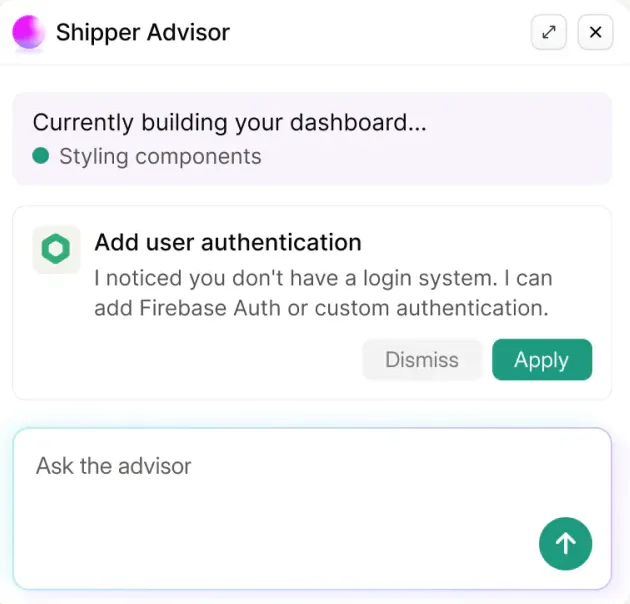
How the Advisor grew, in order: a pop-up, chips you can scroll, hats, then a team.

The first Advisor, a pop-up that suggests one next step at a time.
The first Advisor

I’m working on a small app myself, and this made me think I could build and iterate way faster with the Advisor. Really love this direction.

Chapter 05Work kept safe

Nobody should pay twice for the same work.

Decision 03P3A pause looks like lost workThe problemCome back after a break and nothing says your code is safe.

Protect what people have already paid for.

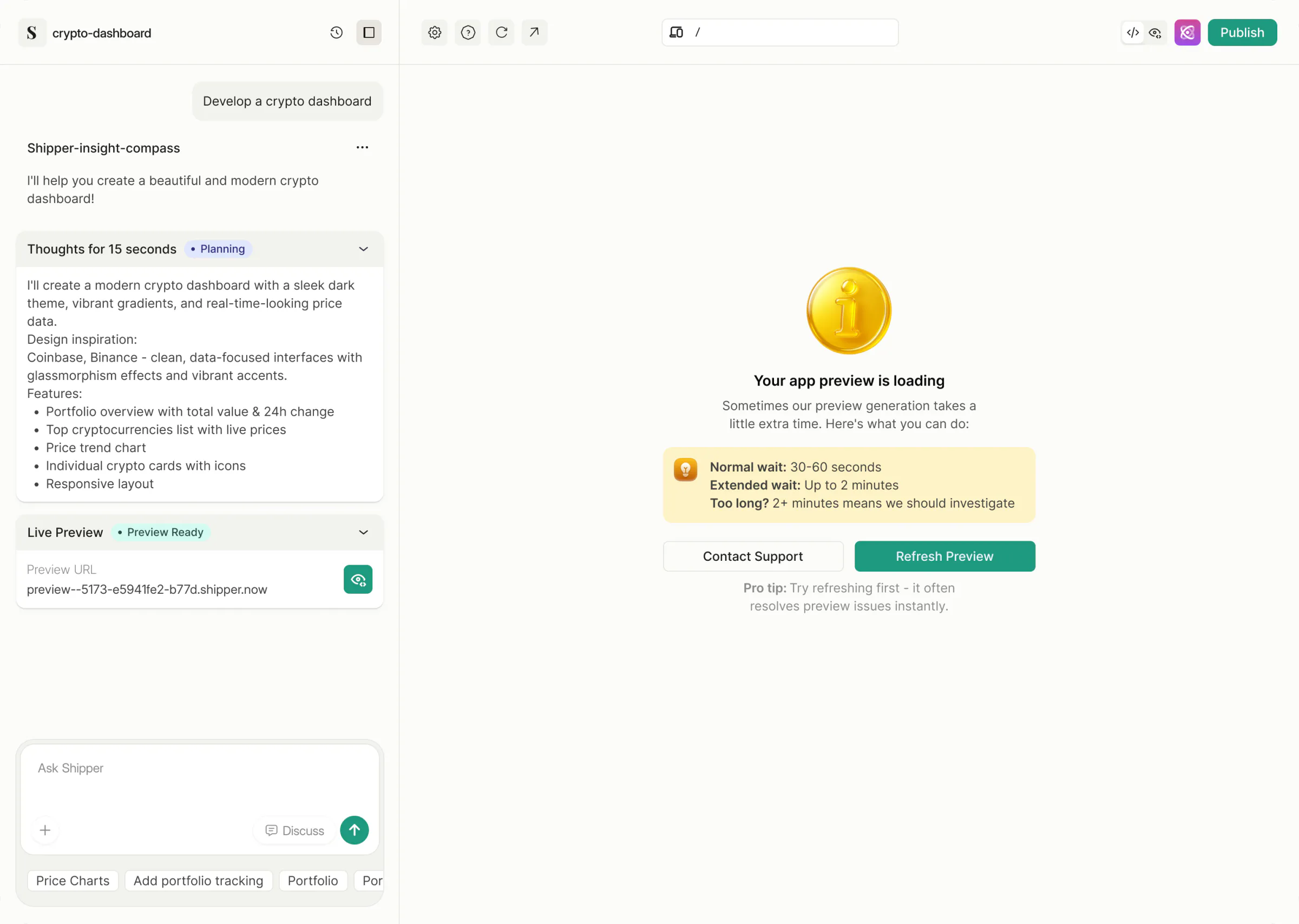
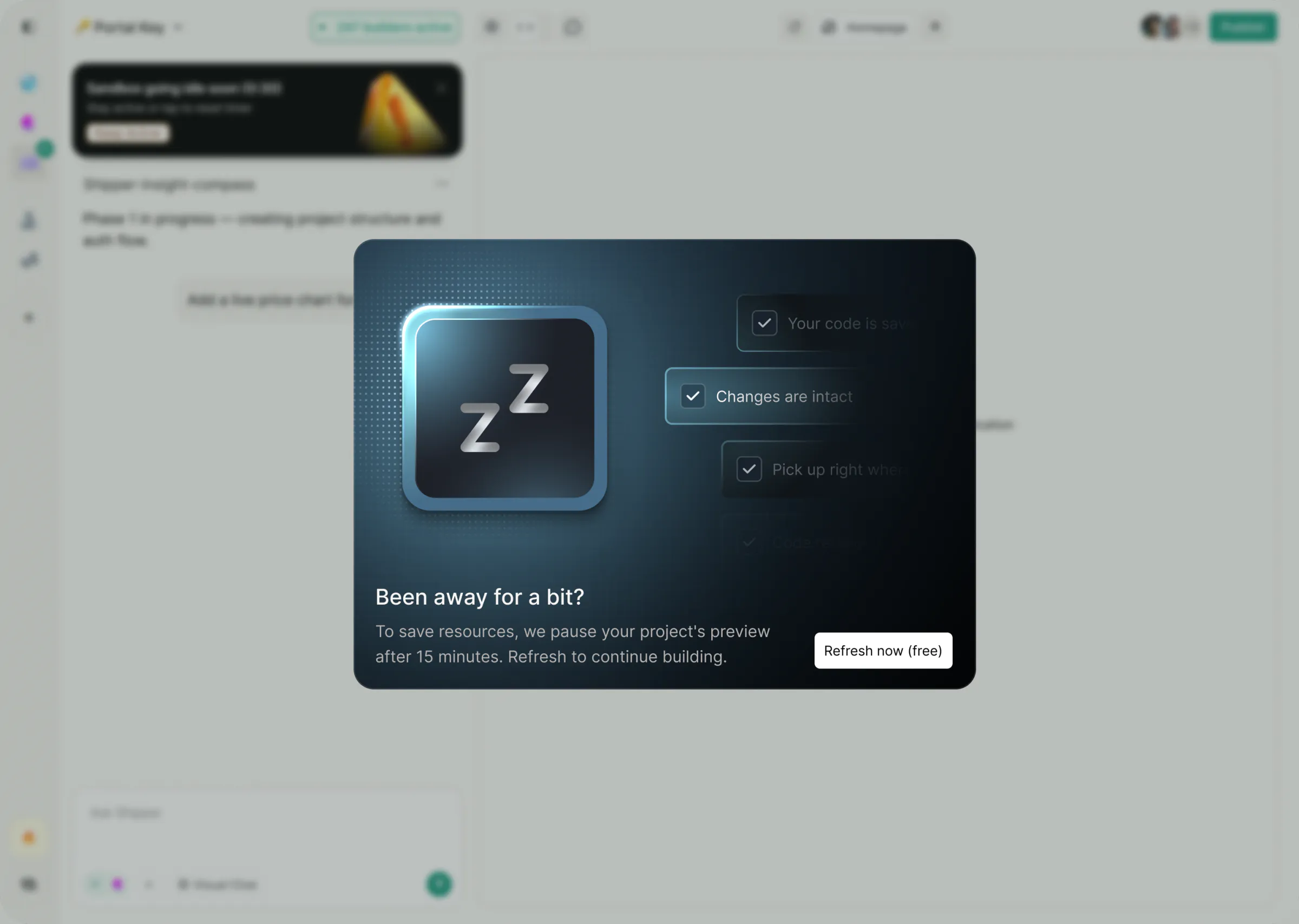
When the preview pauses, Shipper says the code is saved and offers a free refresh. Before you rebuild, the Advisor points you to version history.

Instead of
A silent timeout. The preview dies quietly and people rebuild.
Trade-off
Server cost. Keeping work and versions isn't free, so previews still pause after 15 minutes.

The live demo for this part is being built.

When the preview goes to sleepTry it, on the real frames: tap Keep Active, or wait for the preview to pause and bring it back.
Chapter 06Paying that feels fair

Running out of credits shouldn't end the build.

Decision 04P4Credits run out mid-buildThe problemThe build stops halfway, and the next step isn't clear.

Make paying feel fair.

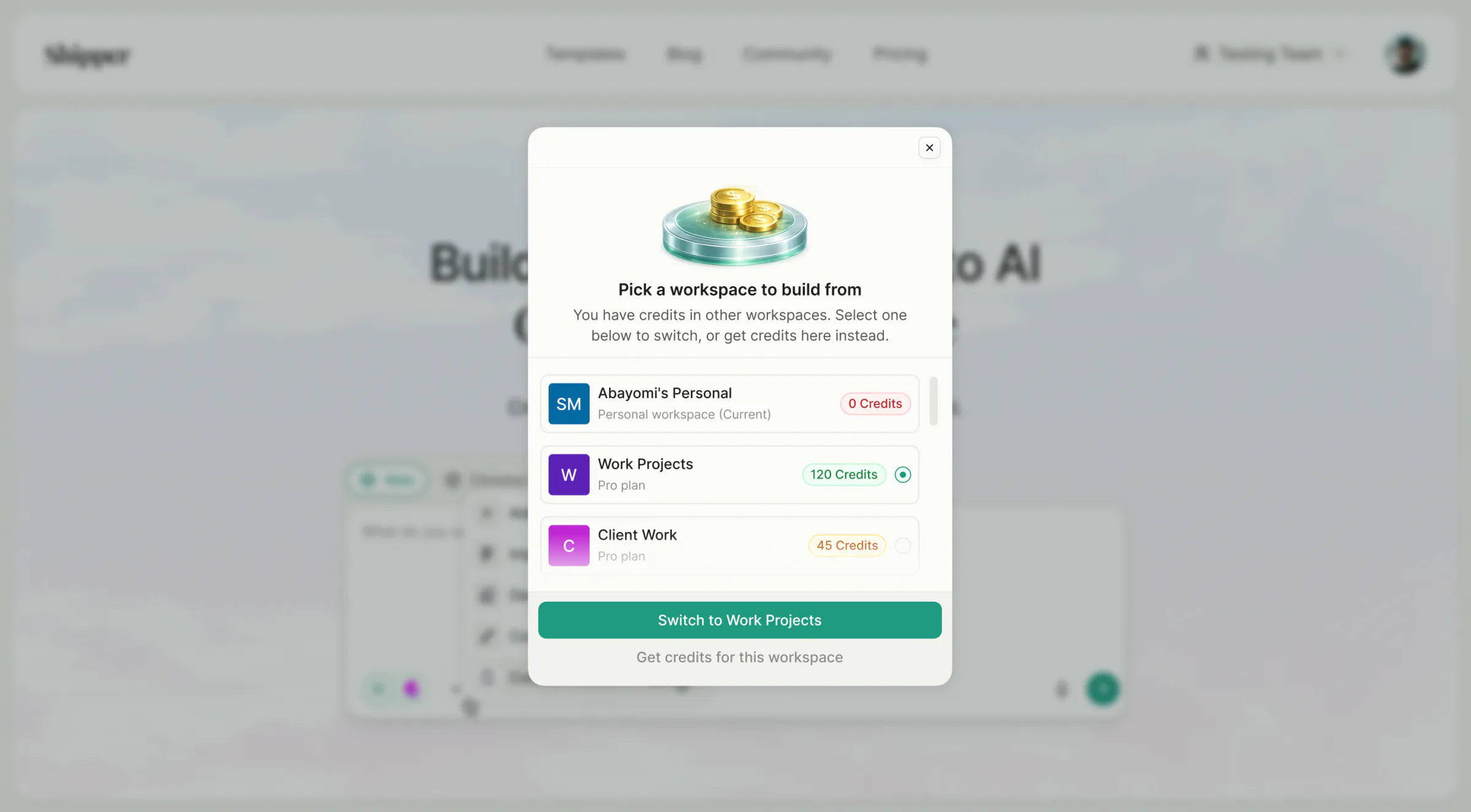
New accounts start with free credits, presented as a gift. Credit packs show the price in plain dollars, and you can top up without leaving the builder. If one workspace runs dry, Shipper points you to another that still has credits. Publishing an app opens a short window to earn credits by sharing it.

Instead of
An upgrade wall. It appears the moment credits run out.
Trade-off
Revenue up front. Free credits go out before anyone pays.

The live demo for this part is being built.

When credits run out mid-buildTry it, on the real frames: switch to the workspace that has credits.

The live demo for this part is being built.

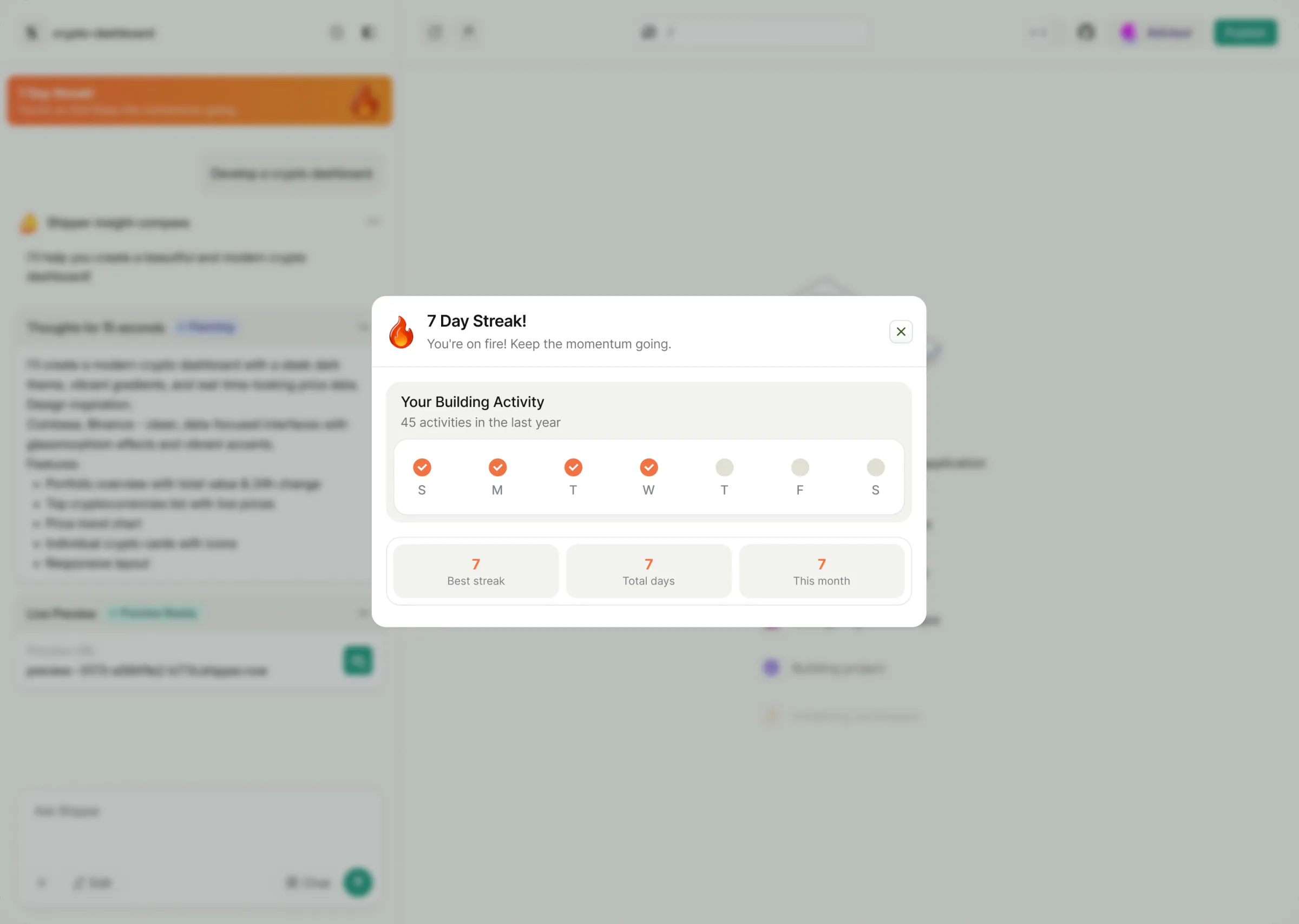
A reason to come back tomorrowTry it: keep the streak alive, then open it.
Chapter 07The front door

I designed the landing pages, then built them myself.

Decision 05P5A blank promptThe problemMany people arrive without knowing what to build.

Let people try it before they sign up.

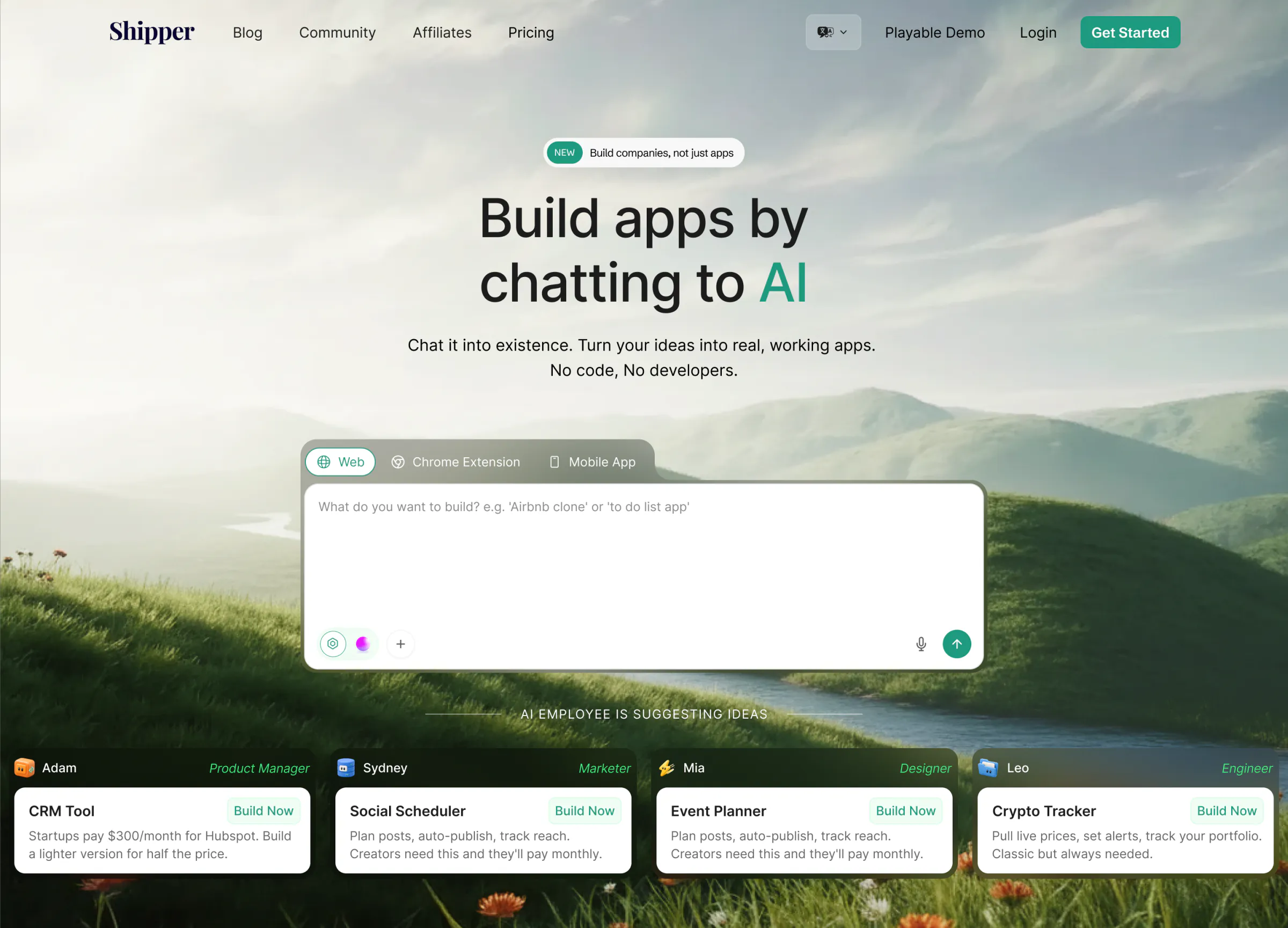
The landing page carries a playable demo: you watch a real build happen before you create an account. For people with no idea yet, an idea starter offers categories and starting points. I designed these and built the pages in Webflow, with Claude and Codex.

Instead of
A sign-up wall. Nobody sees the builder until they create an account.
Trade-off
A heavier landing page. More to build, and more work to keep it fast.

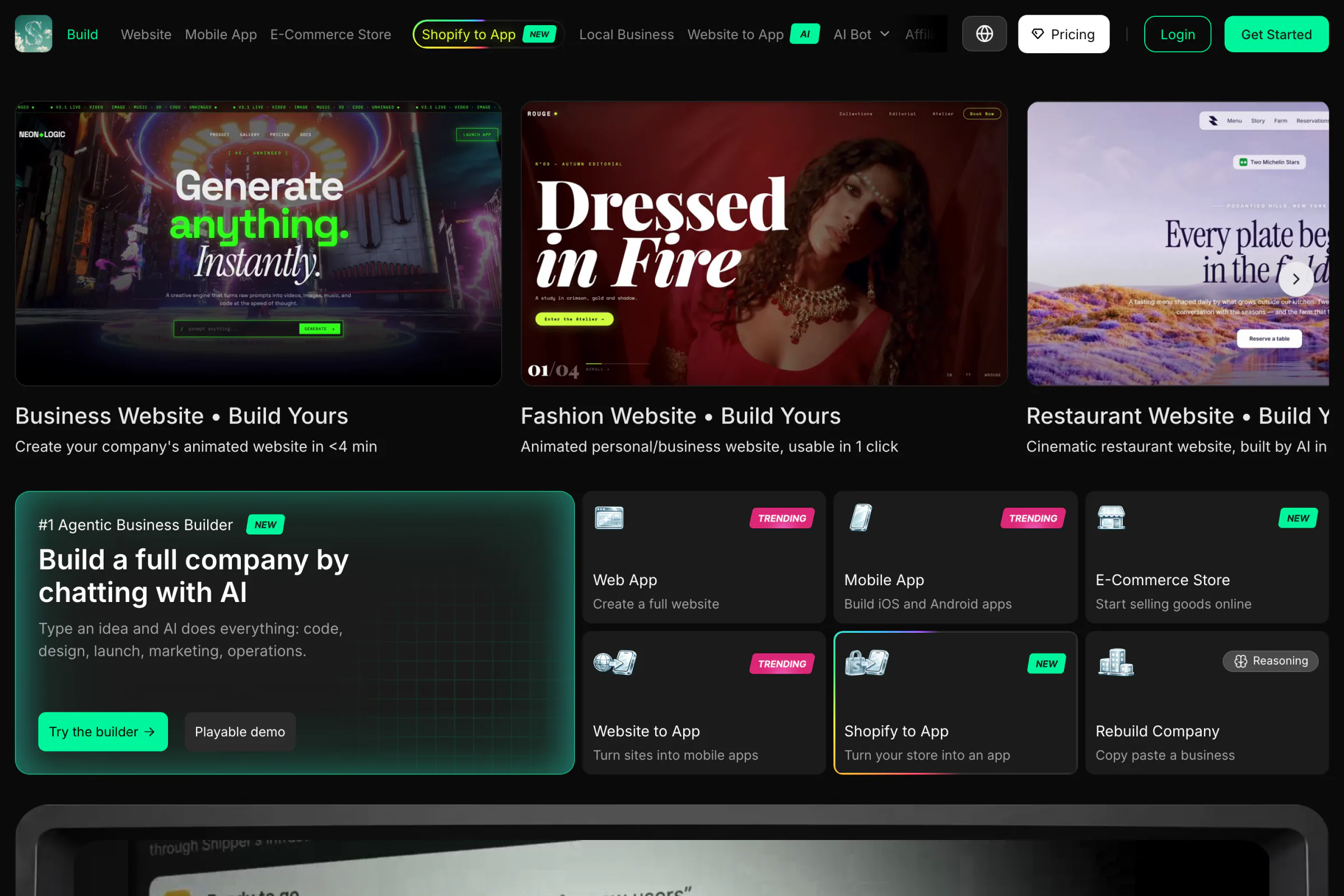
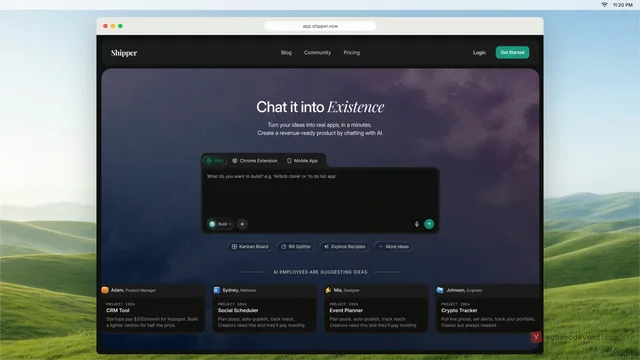
The front door went through several versions. One earlier homepage was a jade-green "energy field", Shipper's green turned up loud, inspired by Higgsfield's look at the time. Today's page leads with what you can build: websites, apps, stores and whole businesses.

How it is now: the live shipper.now, October 2026. "#1 Agentic Business Builder: build a full company by chatting with AI", with a Build menu for every kind of product.
The front door, then and nowHow it is now: the live shipper.now, October 2026. "#1 Agentic Business Builder: build a full company by chatting with AI", with a Build menu for every kind of product.

Designed in Figma, built in Webflow with Claude and Codex. Live at shipper.now.

Chapter 08Results

Nearly everything in this case study shipped.

Phased builds, the AI employees, the safety nets, the credit flows and the landing pages are all live. So are visual edits, code import, the setup guide, custom domains, the Branding Room, the media library, Stripe payments and built-in email.

How the company grew. Shipper launched in August 2025, and I joined that October. David reported $9,156 MRR in February 2026, $40,000 MRR in April and $1M ARR a week later. These are the founders' own figures, and they credit most of that growth to distribution, so I don't count it as a result of my design.

I worked directly with the founders, a project manager and developers spread across the world. The navigation changed along the way too: settings, the affiliate programme and the Advisor moved into a left sidebar that people can customise with what they use most.


Oct 2025 – Oct 202610 releases in 13 months
  1. 2025The builder and the first Advisor
  2. Shipper Cloud credits, custom domains
  3. 2026Built-in email, the homepage system
  4. Playable demo, publish and share
  5. The first Build Queue, idea starter
  6. AI employees, channels, standups
  7. Avatars, starter credits, share cards
  8. New site menu, suggestions from AI employees
  9. Preview pause redesign, send to builder
  10. The new homepageLatest

A year of monthly releases, from the Figma file. Every one shipped.

A real customer site, made with the product. Visit maison-properties.shipper.now

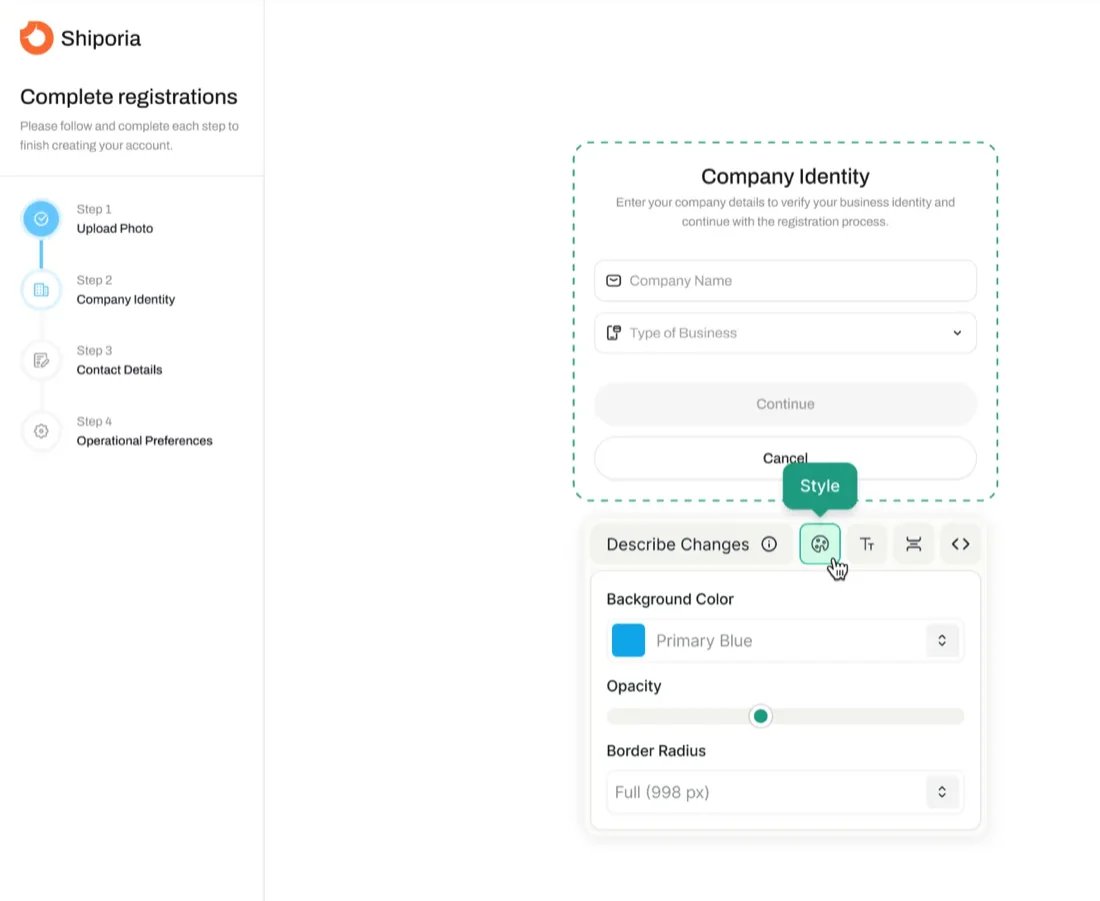
Visual Edit: a selected element with its Style panel open.
Visual Edit

This feels like it would reduce a lot of trial and error.

Chapter 09What I'd do differently

What I'd change if I started again.

  1. Measure from the first release. I can show what shipped but not what it changed, because those numbers belong to Shipper. Next time I'd agree a few shareable measures with the founders before the first release.
  2. Test the first builder with people who can't code. My first builder ran everything in one go, and that made the five problems worse. Watching three or four non-technical founders try it in week one would have shown me the plan-first flow months earlier.
  3. Pick the homepage direction from what people build. The front door went through several versions, including one that followed Higgsfield's look. Today's page works because it leads with what you can build. I'd have started from real user projects and left the trends out.

Credits

Product design and design system
Egbemode AbayomiFigma
Landing pages, designed and built
Egbemode AbayomiWebflow, Claude, Codex, Cursor
Avatars and illustrations
Egbemode AbayomiSketched by hand, some made with Higgsfield
Founders and brief
Daniel CH and David CH
Engineering
Shipper's developers, worldwideWith a project manager

LiveVisit shipper.now (opens in a new tab)AppOpen app.shipper.now (opens in a new tab)

Shipper in 25 seconds

The film I made for this case study: the old wait, then one build in my redesign from prompt to live, on the real Shipper screens. Motion built in code with HyperFrames.

0:00